Holiday planner 2026 as a free Excel template
An annual overview for the whole team with German public holidays, weekends and remaining holiday calculation, ready for 2026.
- No sign-up
- No newsletter
- Free to use
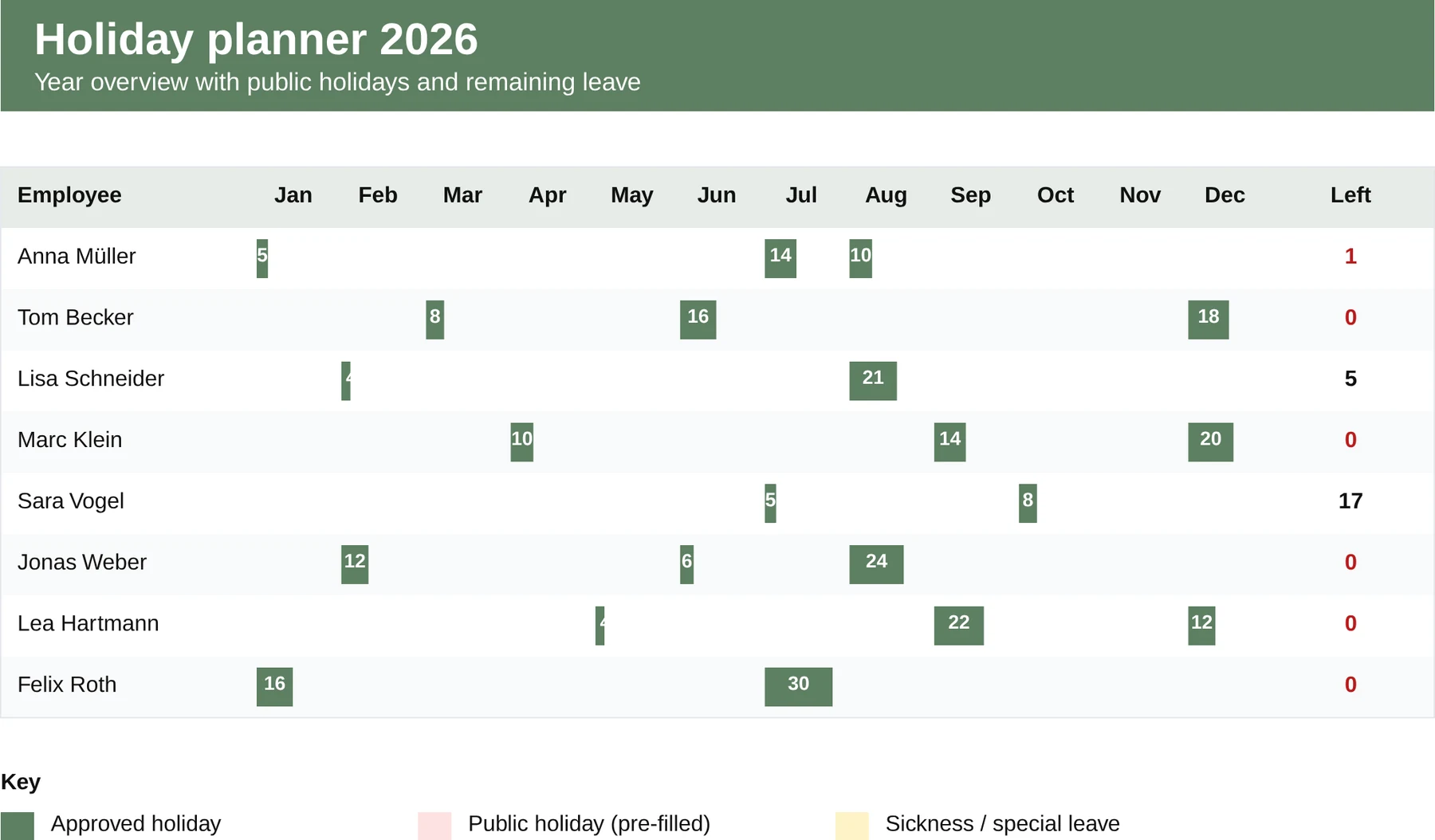
What is in the template?
Ready to use, with formulas, sample data and a legend.
- One row per employee, one column per day
- Weekends and public holidays marked automatically
- Remaining holiday calculated from the annual entitlement minus days taken
- Colour codes for holiday, sickness and special leave
- Standard template for German public holidays 2026
When does the template fit?
Ideal as an interim solution or for small teams, with clear limits.
- Small teams without digital holiday management
- Annual planning before introducing HR software
- An overview for project and shift planning
A holiday planner is a table. Holiday management is more.
If every employee enters holiday in an Excel file, what is missing is the approval workflow, remaining holiday per year, blocking periods and a view of parallel absences in the team. MetronHR takes over the request, approval, calendar, a warning before remaining holiday lapses and the handover to payroll, without anyone having to maintain the list.
| Excel template | MetronHR | |
|---|---|---|
| Upkeep | Manual upkeep | Automatic calculations |
| Approvals | No workflows | Approval workflow |
| Reminders | No reminders | Reminders |
| Team | Copy again for every employee | One central source for the whole team |
Frequently asked questions
Answers on usage and legal aspects.
Question not answered here? Every step is explained in the help centre.
Send us a messageAre the German public holidays already entered?
Yes. The nationwide public holidays for 2026 are pre-filled. State-specific holidays (All Saints' Day or Assumption Day, for example) can be added manually per employee where needed.
How many employees does the template support?
The template is designed for up to 30 employees. For larger teams you can insert additional rows and the formulas adapt.
Is an Excel table really enough for holiday management?
For very small teams (5 people or fewer) it is a workable start. As soon as requests have to be approved, remaining holiday kept correctly, several absence types distinguished and cover coordinated, Excel becomes a maintenance job. That is exactly what MetronHR automates.
What happens if someone joins mid-year?
In the Excel template the annual holiday is entered pro rata manually (25 days x months from joining / 12, for example). In MetronHR the pro rata entitlement is calculated automatically, including the qualifying period and tiered entitlements.
Templates are a start. MetronHR is the answer.
When Excel reaches its limits in a team, MetronHR takes over the process. Try it free for 14 days.
- No credit card required
- Ready quickly
- Cancel monthly
- Full access to every feature
Ready in 5 minutes, no credit card